
VBS Money Manager
Your money, one private workspace.
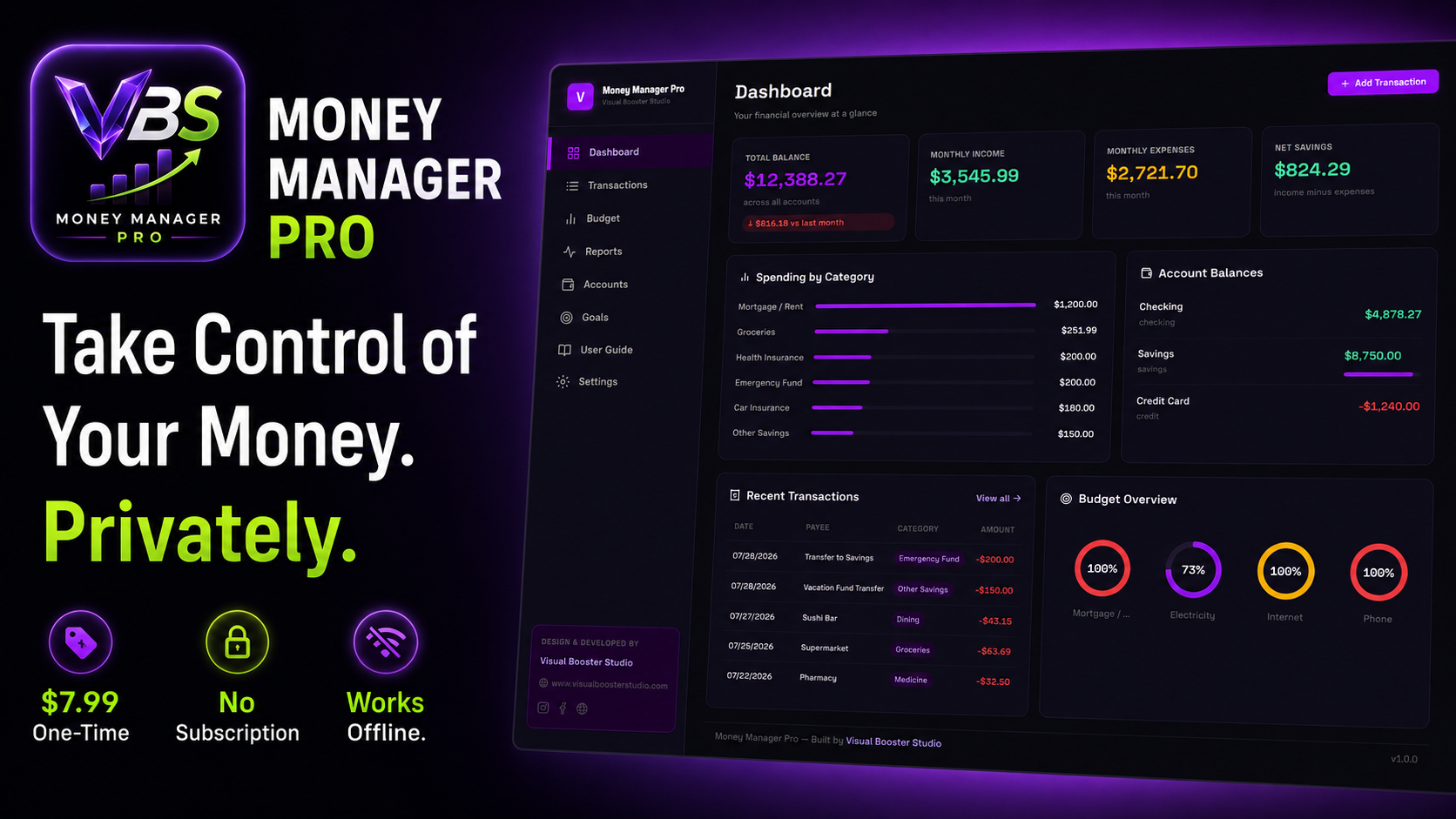
Track income, expenses, budgets, accounts, goals, and reports in one private local-first money management app.
VBS Money Manager gives you one private workspace to manage everyday finances, track transactions, control budgets, monitor accounts, set financial goals, review reports, import bank CSV files, and export or restore backups. Your financial data stays on your device, with no account and no subscription required.
Private app link and access password delivered after purchase.
- Version
- 1.0.0
- Platform
- Windows, macOS, Linux via installable PWA and standalone desktop app
- Storage
- Local device storage
- Internet
- Works offline after installation
Product Gallery
Structured product previews for future screenshots, product captures and release assets.
VBS Money Manager product walkthrough
A quick walkthrough of VBS Money Manager showing the dashboard, transactions, budgets, reports, accounts, goals, offline use, and local-first data controls.
Income, expenses, budgets, accounts, and financial goals scattered across spreadsheets and notes make it difficult to understand where your money is going.
Key Features
Dashboard
See your financial overview in one private command center.
Transactions
Record and organize income and expenses as they happen.
Budgets
Create budgets and monitor spending against your plan.
Reports & Charts
Review charts and reports to understand your finances clearly.
Accounts
Track balances and activity across your accounts.
Financial Goals
Set goals and follow progress toward what you are saving for.
Bank CSV Import
Import bank transactions from CSV into your workspace.
CSV Export
Export financial records for your own use.
JSON Backup & Restore
Export a full JSON backup and restore your data when needed.
Sample Data or Clean Start
Begin with sample data or open a clean workspace.
Local Device Storage
Your data stays on your device — no cloud database.
No Account, No Subscription
Open and use privately with zero sign-up or recurring fees.
Installable PWA
Install VBS Money Manager as a standalone browser app.
Standalone Desktop App
Run as a dedicated desktop app on supported platforms.
Works Offline
Manage finances after installation without a constant connection.
Who It Is For
- Individuals
- Households
- Freelancers
- Anyone managing personal finances
Compatibility
$7.99 one-time. No subscription required. Private app link and access password delivered after purchase.
Private app link and access password delivered after purchase.
How It Works
From purchase to offline money management in five clear steps.
- Step 1
Purchase VBS Money Manager
- Step 2
Receive the private app link and access password
- Step 3
Open and unlock the app
- Step 4
Choose sample data or start clean
- Step 5
Install it on your device and manage finances offline
Local-First by Design
Your financial data stays on your device, not in a cloud database.
- No account
- No login
- No cloud database
- No subscription
- Financial data stays on the user's device
- Backups remain under user control
- Works offline after installation
Take control of your money in one private workspace
Track income, expenses, budgets, accounts, goals, and reports without subscriptions or cloud accounts. Installable PWA and standalone desktop app — offline after installation.
Private app link and access password delivered after purchase.
Product Questions
Does VBS Money Manager require an account or subscription?
No. There is no account, no login, no cloud database, and no subscription. You buy once and use the private app on your devices.
Where is my financial data stored?
Your financial data stays on your device using local storage. Nothing is sent to a cloud database.
Can I use VBS Money Manager offline?
Yes. After installation, VBS Money Manager continues working offline so you can manage finances without a constant internet connection.
What do I receive after purchase?
A private app link and access password delivered after purchase so you can open and unlock VBS Money Manager.
Can I back up or move my data?
Yes. Full JSON backup and restore let you export your workspace and restore it when needed. CSV export is also available for your own records.
Can I import bank transactions?
Yes. VBS Money Manager supports bank CSV import so you can bring transactions into your private workspace.
Updates & Support
Local-first product guidance, updates, and setup support.
Works Best On
- Windows — Chrome, Edge (installable PWA) and standalone desktop app
- macOS — Chrome, Edge, Safari web app and standalone desktop app
- Linux — Chrome / Chromium-based browsers and standalone desktop app
- Installable as a standalone app after unlock
Privacy & Storage
- No account and no login
- No cloud database
- Financial data stays on your device
- Backup export remains under your control
Important Notes
- Works offline after installation
- One-time purchase — no subscription
- Export a JSON backup before clearing browser data or switching devices
Related Applications
Freedom Pro
Premium offline debt payoff and FIRE tracker for desktop browsers and tablets. Plan payoff strategies, log payments, monitor net worth, and keep financial data private in local browser storage — no account, no subscription.
View ApplicationExpense Manager
Track expenses, approvals & budgets in one place.
Coming SoonVBS Prompt OS
Organize your best AI prompts, images, notes, tags, AI platforms, and collections in one private local-first workspace.
View Application